
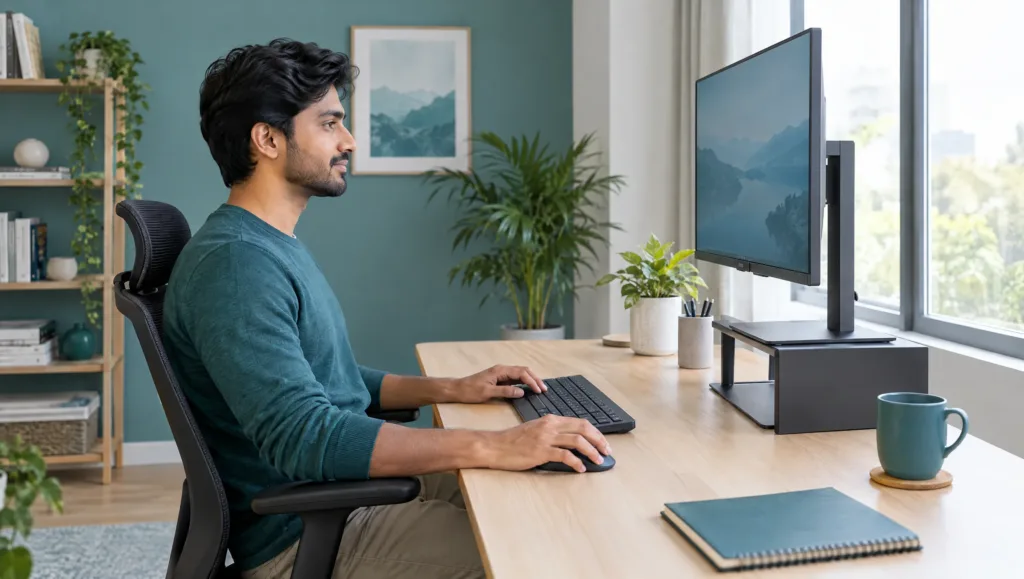
If you spend eight or more hours a day at a desk in Rawalpindi or Islamabad’s growing IT sector, your workstation might be quietly working against your spine. Office ergonomics for back pain isn’t just a buzzword from an HR training slide — it’s the single biggest lever most software engineers, QA testers, and support staff never pull. As a physiotherapist who treats desk-bound professionals every week at Physio Rehab Solution, I see the same pattern: sharp neck tension by 11 am, a dull ache across the lower back by evening, and tingling hands after a late sprint deadline. This guide walks through exactly how your desk setup causes that pain, how to fix it today, and when it’s time to get a proper assessment.
Table of Contents
- Why IT Professionals in Rawalpindi & Islamabad Are at Risk
- How Office Ergonomics Affects Back Pain and Posture
- Setting Up Your Workstation: Monitor, Chair, and Keyboard
- Common Posture Mistakes IT Professionals Make
- The 20-20-20 Rule and Movement Breaks for Desk Workers
- Desk Stretches and Exercises You Can Do Right Now
- When Ergonomics Alone Isn’t Enough: Signs You Need Physiotherapy
- Building a Sustainable Ergonomic Routine Long-Term
- Frequently Asked Questions
Why IT Professionals in Rawalpindi & Islamabad Are at Risk

The twin cities have become a genuine tech hub over the last decade, with software houses, call centers, and freelance developers working long, irregular hours to match US and European client time zones. That often means sitting from mid-afternoon well into the night, frequently on furniture never designed for eight-hour shifts.
Remote and hybrid work made this worse, not better. A dining chair, a bed with a laptop balanced on the knees, or a sofa with a cushion for “support” has replaced the office desk for many developers and designers. Add in Rawalpindi’s traffic-heavy commute for the professionals who do go into an office, and the daily sitting load climbs even higher before the workday even starts.
Younger professionals in particular tend to push through early warning signs — a stiff neck, a tight lower back — because deadlines feel more urgent than discomfort. Unfortunately, pain that is ignored for months tends to become a pattern the body learns, which is exactly why ergonomics has to be addressed early rather than after a flare-up sends someone looking for urgent care.
How Office Ergonomics Affects Back Pain and Posture
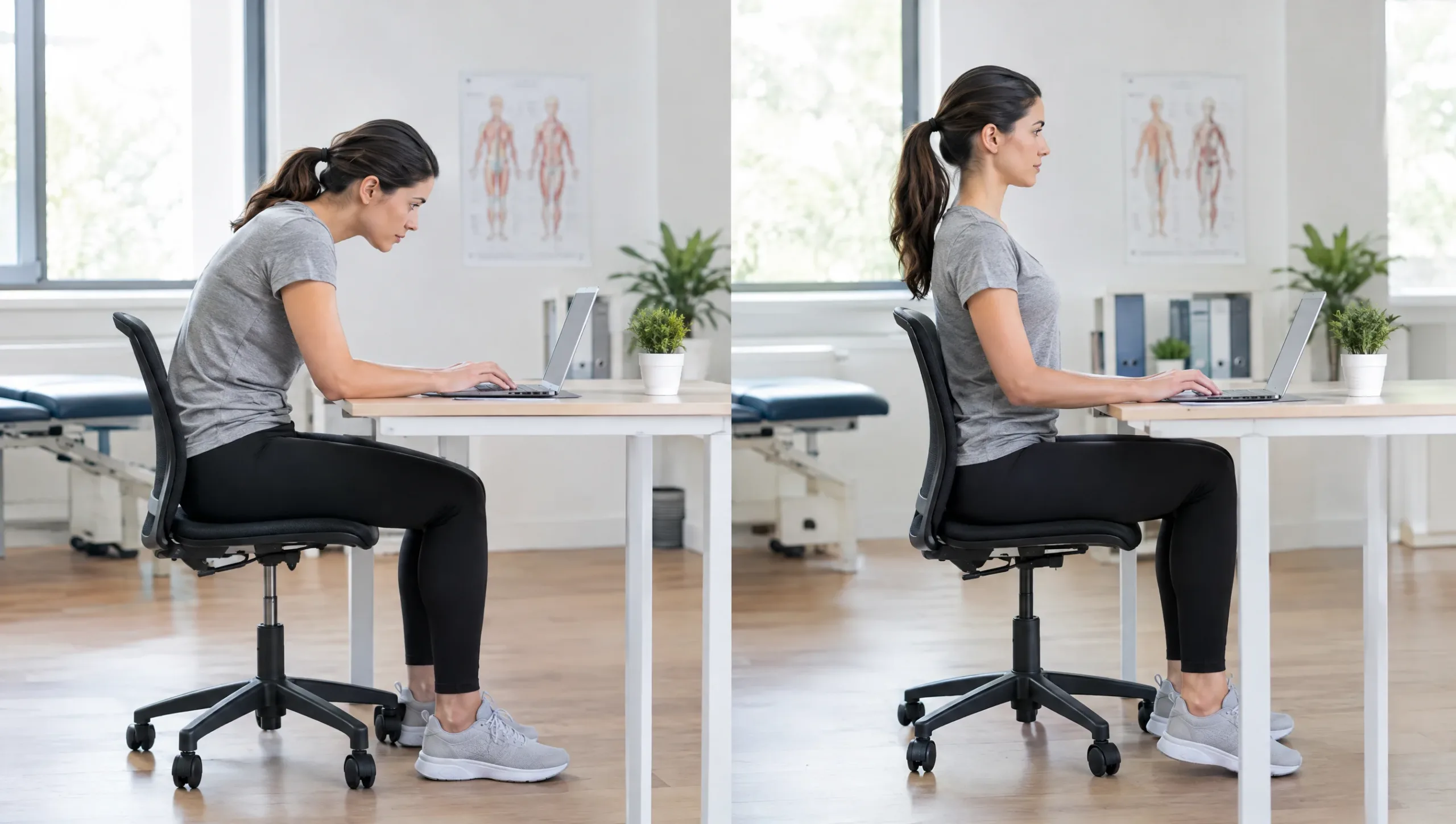
Office ergonomics for back pain comes down to a simple mechanical idea: your spine has a natural, slightly curved shape, and it works best when it’s supported in that shape for long periods. Slouching flattens the lower back’s natural curve and shifts load onto the discs and ligaments instead of the muscles built to carry it.
Sitting itself increases pressure on the lumbar discs compared to standing, and poor posture multiplies that pressure further. A forward head position — the posture almost everyone adopts when staring at a laptop screen that sits too low — can add the equivalent of carrying an extra several kilograms of load through the neck and upper back for every inch the head drifts forward.
Static posture is its own separate problem. Staying in one position, even a “good” one, for hours without moving reduces blood flow to the muscles supporting the spine, and those muscles stiffen and fatigue faster than they would with regular movement. This is part of why two people with identical chairs can have very different pain outcomes — one moves every 30 minutes, the other doesn’t move for three hours straight.
The Mayo Clinic’s guide to office ergonomics is a useful, evidence-based reference if you want to go deeper on the biomechanics involved: Mayo Clinic: Office ergonomics: Your how-to guide.
Setting Up Your Workstation: Monitor, Chair, and Keyboard
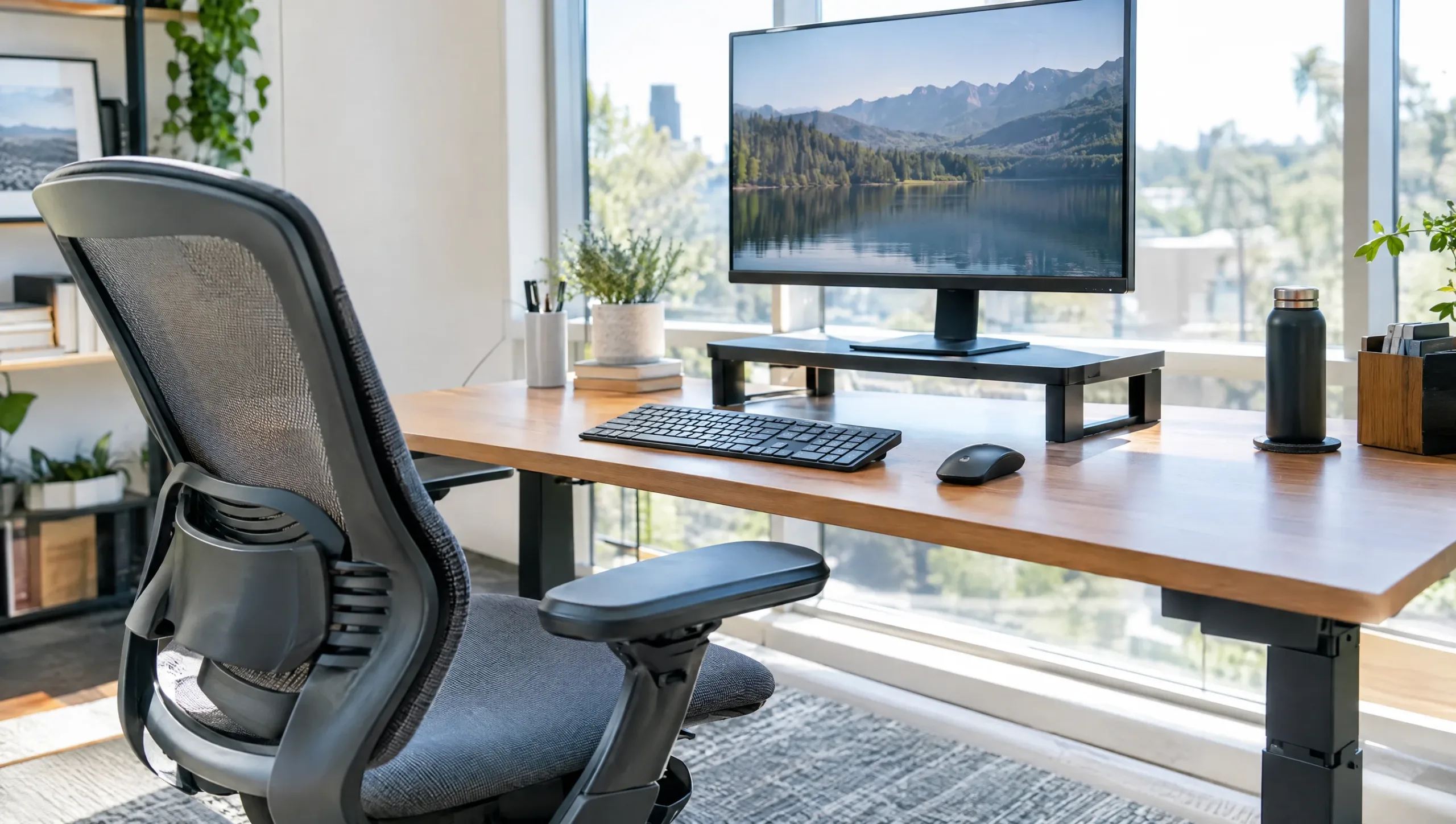
You don’t need an expensive ergonomic overhaul to make a real difference. Three adjustments account for most of the improvement we see in patients: monitor height, seated support, and keyboard/mouse position.
Your monitor’s top edge should sit roughly at eye level, about an arm’s length away. If you work on a laptop, raising it on a stand (or a stack of books, which works just as well) and plugging in an external keyboard and mouse is one of the highest-value changes an IT professional can make, since it stops you from tilting your neck down for hours at a time.
Your chair should let your feet rest flat on the floor with your knees at roughly hip height, and your lower back should be in contact with some form of support — a chair’s built-in lumbar curve, or a small rolled towel or cushion if your chair doesn’t have one. This single fix is often enough to noticeably reduce end-of-day lower back fatigue within a week or two.
Finally, your keyboard and mouse should sit at a height where your elbows stay close to your body at roughly a 90-degree angle, wrists straight rather than bent up or down. Wrist rests, and keeping the mouse close rather than reaching for it, both reduce strain on the forearm and shoulder over a full workday.
Common Posture Mistakes IT Professionals Make

A few habits show up again and again in developers, designers, and support staff who come in with neck and back complaints. The most common is “laptop slouch” — hunching forward and down toward a screen that’s positioned too low, usually on a bed, sofa, or low table.
Cradling a phone between the ear and shoulder during long client calls is another frequent culprit, as is sitting cross-legged for extended periods, which tilts the pelvis and loads one side of the lower back more than the other. Rounded shoulders from reaching forward toward a keyboard that’s too far away or too high also shows up constantly in people who type for a living.
If any of this sounds familiar and you’re already dealing with ongoing discomfort, our detailed guide on lower back pain in office workers covers targeted treatment options available here in Rawalpindi, beyond the ergonomic fixes in this article.
The 20-20-20 Rule and Movement Breaks for Desk Workers

The 20-20-20 rule was originally designed for eye strain — every 20 minutes, look at something 20 feet away for 20 seconds — but the same rhythm works well as a reminder to move your spine, not just your eyes. Static posture, not just “bad” posture, is a major driver of desk-related pain, so interrupting it regularly matters as much as getting the setup right.
Many developers already use the Pomodoro technique for focus, working in 25-minute blocks. That built-in break is a natural moment to stand up, stretch, or walk to refill a water bottle rather than scrolling on a phone while still seated. If you’re on back-to-back calls, taking at least one of them standing, or pacing slowly while on audio-only meetings, adds meaningful movement without costing any work time.
Even short breaks of 60 to 90 seconds, taken every 30 to 45 minutes, have been shown to reduce the muscle fatigue and stiffness that build up over a long sitting block. The specific exercise matters less than the simple act of changing position regularly throughout the day.
Desk Stretches and Exercises You Can Do Right Now

These five stretches take under five minutes combined and can be done without leaving your desk or changing clothes.
Chin tucks: Sitting tall, gently draw your chin straight back as if making a double chin, hold for five seconds, and repeat ten times. This directly counteracts the forward head posture that builds up from screen work.
Seated spinal twist: Sit upright, place one hand on the opposite knee, and gently rotate your torso toward the back of your chair. Hold for 15 to 20 seconds each side to release tension built up through the mid and lower back.
Doorway or wall chest stretch: Stand in a doorway with your forearm against the frame at shoulder height, and gently lean forward until you feel a stretch across the chest and front of the shoulder. This counters the rounded-shoulder posture that comes from typing.
Standing hip flexor stretch: Step one foot forward into a gentle lunge, keeping your back straight, and hold for 20 seconds each side. Hip flexors shorten from prolonged sitting, and this stretch helps restore normal length.
Shoulder blade squeezes: Pull both shoulder blades back and down as if trying to hold a pencil between them, hold for five seconds, and repeat ten times to reactivate the postural muscles between the shoulders that slouching switches off.
If you’d like a broader library of physiotherapist-guided exercises and general advice, our clinic homepage has more resources, and you can always reach out with specific questions.
When Ergonomics Alone Isn’t Enough: Signs You Need Physiotherapy

Ergonomic changes resolve a large share of desk-related discomfort, but they aren’t a substitute for professional assessment when pain has specific warning signs. Pain that radiates down one leg or arm, numbness or tingling in the hands or feet, or pain that wakes you up at night are all signals that deserve attention beyond a better chair.
Similarly, if you’ve genuinely corrected your workstation setup and added movement breaks but the pain hasn’t improved — or has gotten worse — after two to three weeks, that’s a sign something more specific is going on that a generic ergonomics checklist won’t fix on its own. We always recommend an in-person assessment for pain that is severe, persistent, or accompanied by neurological symptoms like numbness or weakness, since those require a proper clinical evaluation rather than self-management. You can find more general guidance in our physiotherapy FAQ.
Building a Sustainable Ergonomic Routine Long-Term

A good desk setup fixes the environment, but it only pays off if it turns into a habit you keep without thinking about it. The most reliable way we see patients succeed is by attaching ergonomic checks to something they already do daily — reviewing posture and chair height at the start of every workday, the same way you’d check your email, rather than treating it as a one-time project.
It also helps to treat your setup as something that evolves. A chair height that felt right in winter might need adjusting once you change footwear, and a monitor stand that worked for a 24-inch screen needs rechecking if you upgrade to a larger one. Building a five-minute “workstation audit” into the first Monday of every month keeps small drifts from turning into months of bad posture.
Finally, consistency matters more than perfection. Missing your stretch breaks on one deadline-heavy day won’t undo weeks of good habits, but letting “just this week” become the new normal is how most people end up back at square one. Treat the movement breaks and desk adjustments in this guide as non-negotiable parts of your workday, the same category as backing up your code, not as optional extras you’ll get to eventually.
Frequently Asked Questions

Is a standing desk better than a sitting desk for back pain?
Neither position is inherently better if held for hours without changing — the real benefit of a standing desk is that it makes it easier to alternate between sitting and standing throughout the day. For most IT professionals, alternating every 30 to 60 minutes gives better results than switching to all-day standing.
Can a laptop alone cause long-term posture problems?
Yes, when used without an external monitor, keyboard, or stand. The low screen height and cramped keyboard position force a forward head and rounded shoulder posture that, repeated for years, can contribute to chronic neck and upper back pain.
How often should I get up from my desk if I have chronic back pain?
As a general guideline, aim to change position briefly every 30 minutes and take a longer movement break of two to five minutes every hour. If you already have chronic back pain, more frequent, shorter breaks are usually more comfortable than longer, infrequent ones.
Are gaming chairs good for office ergonomics?
Some gaming chairs offer decent lumbar support and adjustability, but many prioritize look over proper ergonomic fit, with seat depths and backrest angles that don’t suit long typing sessions. A chair with adjustable lumbar support, seat height, and armrests matters more than the gaming-chair label itself.
Office ergonomics for back pain is something you can start improving today, with changes that cost little more than a few minutes of attention to your desk setup. But if your pain has been building for weeks, radiates beyond your back, or disrupts your sleep, it’s worth getting it looked at properly rather than guessing. Book an in-person assessment with Physio Rehab Solution in Rawalpindi, and we’ll build a plan specific to your pain, your workstation, and your schedule. Call us at +923214287773 to book your appointment.